> For the complete documentation index, see [llms.txt](https://docs.overleaf.com/llms.txt). Markdown versions of documentation pages are available by appending `.md` to page URLs; this page is available as [Markdown](https://docs.overleaf.com/troubleshooting-and-support/tex-live.md).
# TeX Live
Overleaf uses the standard LaTeX TeX Live distribution, which helps ensure the compatibility and portability of your Overleaf projects.
[TeX Live](https://www.tug.org/texlive/) is a free software distribution published annually by [The TeX Users Group](https://www.tug.org/). It provides the LaTeX packages, fonts, TeX engines, and numerous software tools required to support LaTeX-based typesetting on all standard operating systems.
TeX Live is an important component of Overleaf because our servers use it to compile your LaTeX code and generate the real-time PDF preview. It also provides Overleaf’s users with easy access to over 5,000 LaTeX packages contained in each TeX Live release.
You are not restricted to using the latest version of TeX Live to compile your projects because Overleaf’s servers provide access to previous TeX Live releases. Projects can easily be [switched to use an earlier version of TeX Live](/getting-started/recompiling-your-project/selecting-a-tex-live-version-and-latex-compiler.md)—for example, due to issues with package compatibility.
Which LaTeX packages does Overleaf support?
Because Overleaf uses TeX Live, you can access over 5,000 packages, including:
* Figures with [pstricks](https://ctan.org/pkg/pstricks-base?lang=en) and [TikZ](https://en.wikipedia.org/wiki/PGF/TikZ). Here are some [TikZ examples](https://www.overleaf.com/latex/examples/tagged/tikz).
* Bibliographies with [BibTeX](https://www.bibtex.org/) and [BibLaTeX](https://ctan.org/pkg/biblatex?lang=en). Here are [some examples](https://www.overleaf.com/gallery/tagged/bibliography).
* Packages, such as [fontspec](https://ctan.org/pkg/fontspec) required by XeLaTeX and LuaLaTeX for OpenType font support.
You can browse the list of TeX and LaTeX packages on the CTAN subpage [CTAN: Packages](https://ctan.org/pkg/).
What packages changed between TeX Live releases?
The TeX community continues to innovate between the annual TeX Live releases. New or updated LaTeX packages, fonts, and TeX-related software are regularly contributed to the Comprehensive TeX Archive Network, referred to as CTAN within the TeX community. CTAN provides a central repository for TeX- and LaTeX-related software ready for inclusion in the next TeX Live release.
The updated packages that come with each new TeX Live may contain breaking changes. See our blog posts on our past TeX Live upgrades where we discuss some of these changes, and how to update your code so that they are compatible with more up-to-date packages:
* [TeX Live 2026](https://www.overleaf.com/blog/tex-live-2026-is-now-available)
* [TeX Live 2025](https://www.overleaf.com/blog/tex-live-2025-is-now-available)
* [TeX Live 2024](https://www.overleaf.com/blog/tex-live-2024-is-now-available)
* [TeX Live 2023](https://www.overleaf.com/blog/tex-live-2023-now-available)
* [TeX Live 2022](https://www.overleaf.com/blog/tex-live-2022-now-available)
* [TeX Live 2021](https://www.overleaf.com/blog/tex-live-2021-now-available)
* [TeX Live 2020](https://www.overleaf.com/blog/tex-live-2020-now-available)
* [TeX Live 2019](https://www.overleaf.com/blog/tex-live-2019-upgrade-january-2020)
* [TeX Live 2018](https://www.overleaf.com/blog/tex-live-upgrade-september-2019)
* [TeX Live 2016](https://www.overleaf.com/blog/435-tex-live-upgrade-november-2016)
Can I use the latest version of TeX Live?
You can join our [Labs program](https://www.overleaf.com/labs/participate) to access an [experimental TeX Live version.](#labs-rolling-tex-live-experiment) This experimental version is primarily for testing changes to TeX Live, packages, and previewing new accessibility features before they’re compiled into our annual TeX Live release. Note that these images change month to month, and are untested by our team. Important projects should continue to be built on our yearly release to avoid issues that may occur when the monthly build changes.
## TeX Live and your Overleaf project
When you create a new Overleaf project or copy an existing one, the new (or copied) project will, by default, compile using the latest version of TeX Live installed on our servers.
When we provide a new version of TeX Live for our users, we do not automatically upgrade existing projects. Doing this automatically could cause errors or warnings within your existing projects due to differences between TeX Live versions.
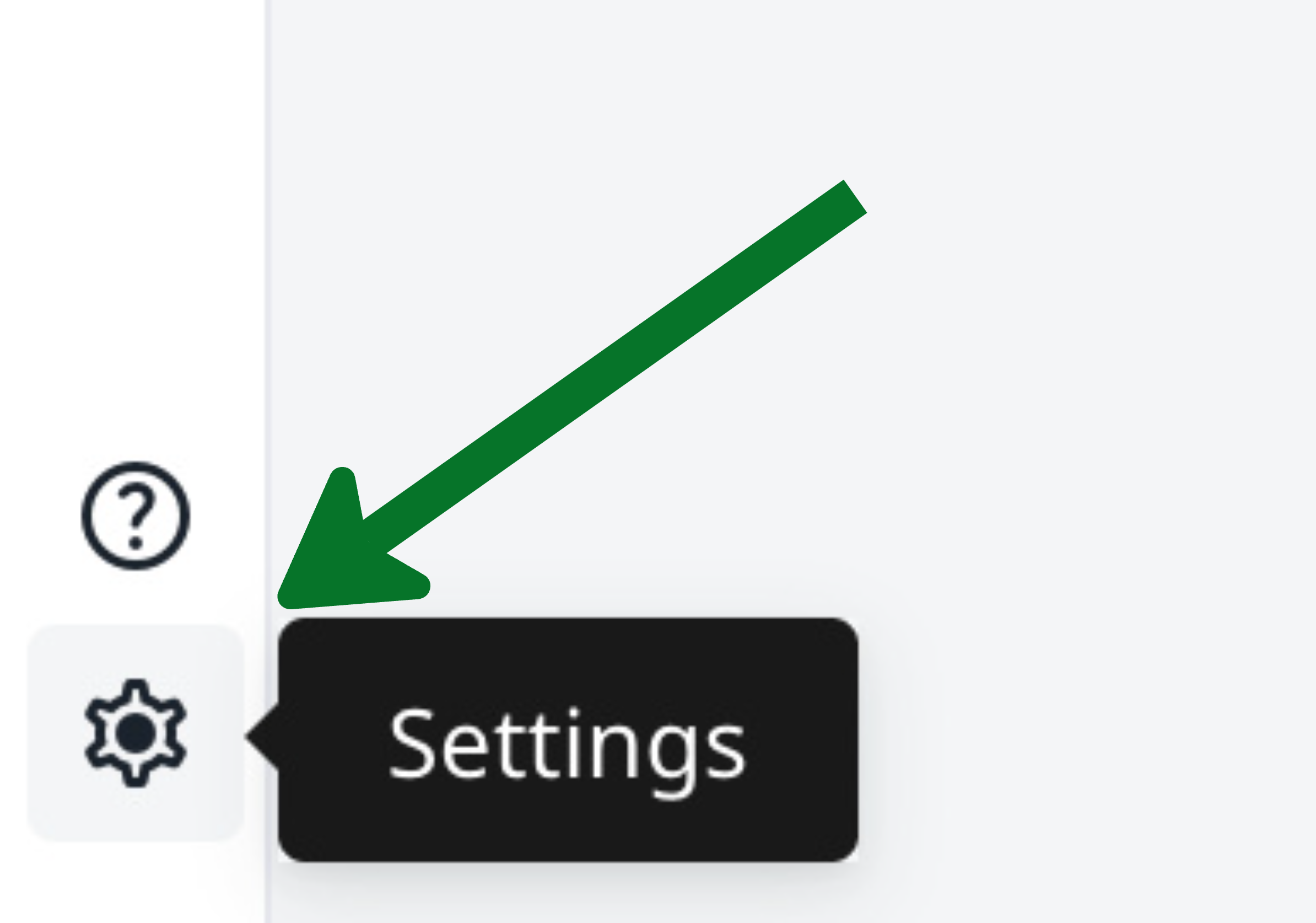
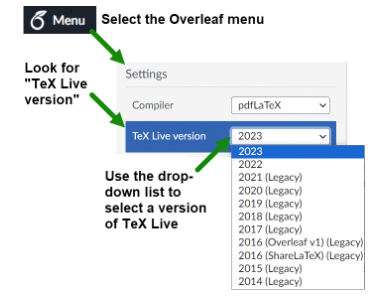
You can view and change the TeX Live version of your project from the project settings:
{% columns %}
{% column width="50%" %}
Option 1: Gear icon
{% endcolumn %}
{% column width="50%" %}
Option 2: File menu
{% endcolumn %}
{% endcolumns %}
Please note:
* Any collaborator with Editor permissions can change the TeX Live version used for the project, and this affects all collaborators in the project.
* The TeX Live version is project-specific: changing it for a particular project will not affect any other project in your Overleaf workspace or modify any source code in the project whose TeX Live version is changed.
* After choosing a specific version of TeX Live, all packages used by your project will, of course, be the versions present and published within that release of TeX Live.
* Switching to a different TeX Live setting may change package behaviors, such as changes to commands they provide.
* Switching a project's TeX Live version is not permanent; you can revert to a prior version whenever needed. Always be mindful that different releases of TeX Live may have updates/changes that could affect the ability to compile your project using a particular TeX Live release.
What are the “Legacy” versions of TeX Live?
In the TeX Live version drop-down menu, shown in the screenshot above, older versions of TeX Live are categorized as “Legacy”. These versions are made available to ensure compatibility and successful compilation for older templates and projects requiring them.
Here are some additional points to keep in mind when considering use of older TeX Live versions:
* When starting a new project, using the latest version of TeX Live is advisable unless specific compatibility issues necessitate using an older version. This approach ensures that you benefit from the most recent updates and features.
* While Overleaf has not yet defined a timeline for discontinuing the oldest versions of TeX Live, those versions may eventually be phased out and unavailable.
* Where feasible, your existing projects should be updated to the latest compatible version of TeX Live.
How often is TeX Live updated on Overleaf?
Overleaf’s compilation servers are upgraded to the latest release of TeX Live shortly after it becomes available. After testing and completion of the upgrade, Overleaf publishes a blog post to share any notable TeX Live updates, together with package-specific notes and guidance based on the results of our testing. Our TeX Live “release notes” can be found on our blog using the `tex live` tag: .
## Labs Rolling TeX Live Experiment
You can join our [Labs program](https://www.overleaf.com/labs/participate) to access a rolling version of TeX Live in your projects. This is primarily designed for people to test out new packages and accessibility features before our annual TeX Live release.
After joining the experiment, ensure that the compiler is switched to the rolling version, which will then remain up-to-date. You may see a number of warnings indicating when we have updated the version or when encounter errors that can only be resolved by switching back to our annual release.
You can leave the experiment at any time, but must ensure that you also change the TeX Live version for any projects that have been on the experimental version.
{% hint style="warning" %}
This version of TeX Live is not tested by our team. We will not provide support for projects using this version and if you encounter errors, we suggest you switch back to the annual release.
{% endhint %}