> For the complete documentation index, see [llms.txt](https://docs.overleaf.com/llms.txt). Markdown versions of documentation pages are available by appending `.md` to page URLs; this page is available as [Markdown](https://docs.overleaf.com/getting-started/recompiling-your-project/the-main-document.md).
# The Main document
Every Overleaf project has a Main source document (.tex file) that is the file which is submitted to the compiler by default.
The Main document in Overleaf is the .tex file which LaTeX will be told to compile first. It is the main file of the project, which all other parts (classes, packages, chapters etc.) will be incorporated into.
## Setting the Main document
### From the Settings
{% stepper %}
{% step %}
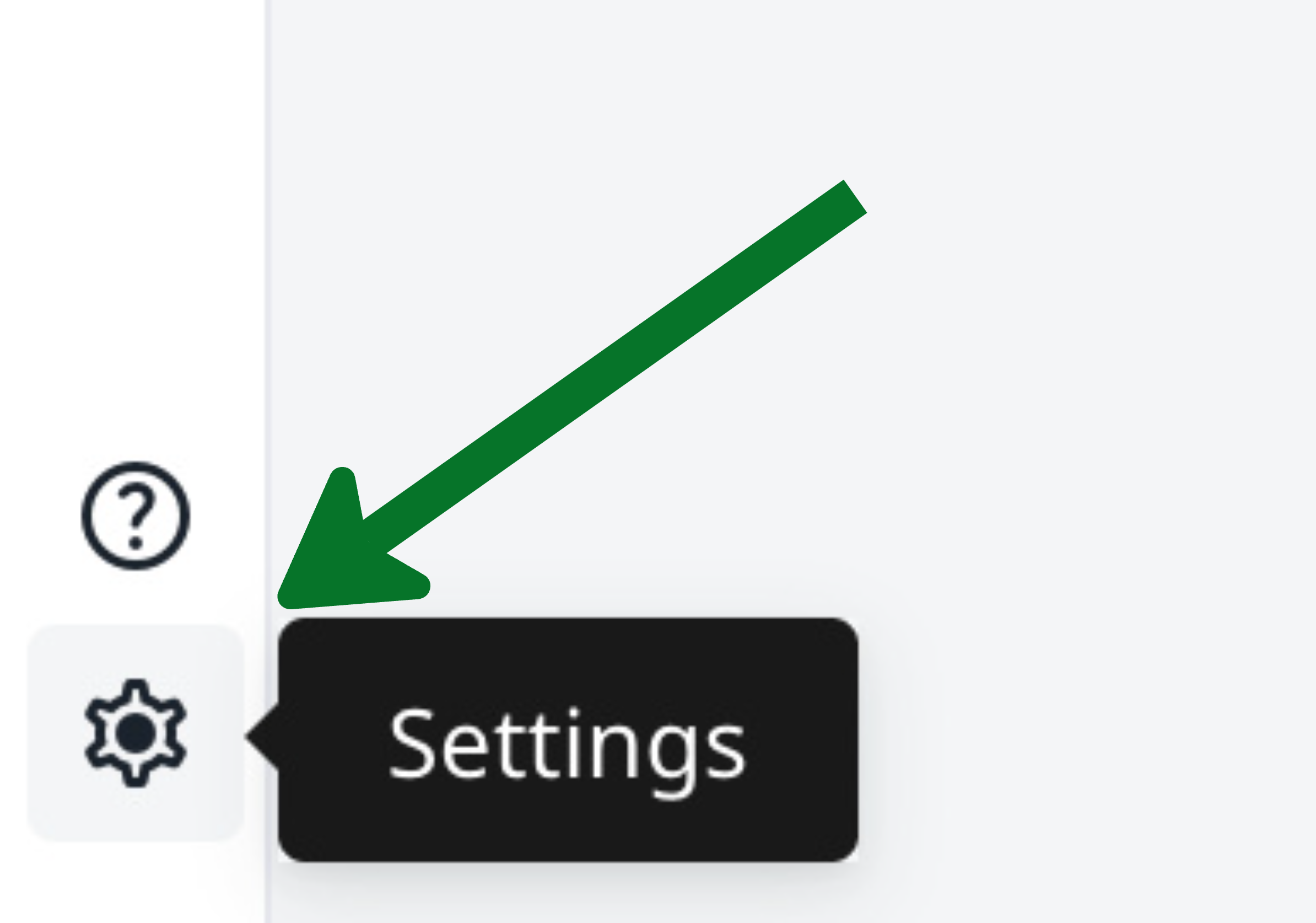
Within your project, select the gear icon (or go to **File** > **Settings**):
Option 1: Gear icon
Option 2: File menu
{% endstep %}
{% step %}
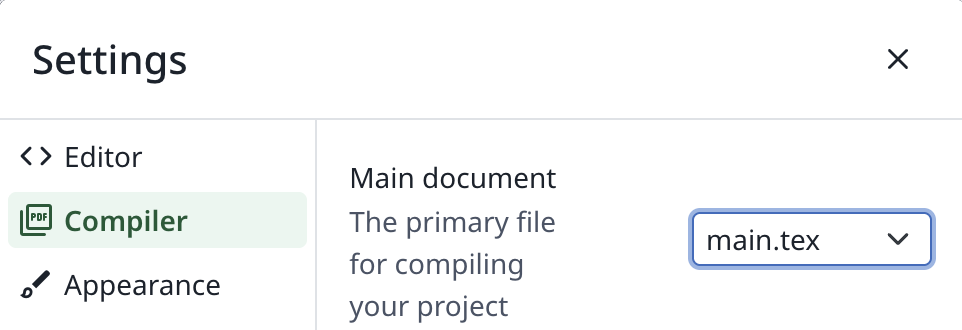
Go to **Compiler** > **Main document**:
Main document setting location
{% endstep %}
{% step %}
Select a .tex file from the list of options.
{% endstep %}
{% endstepper %}
### From the File Tree
{% stepper %}
{% step %}
Within your project, open the .tex file that you want as the main document.
{% endstep %}
{% step %}
In the File Tree, select the three-dot icon to the right of the file name.
{% endstep %}
{% step %}
In the menu that appears, select the "Set as main document" option:
{% endstep %}
{% endstepper %}
### Best Practices
The Main document **should always be in the root directory** (outside of any folders) to ensure that all of the compilation steps will be run in the correct directory and to ensure that the required auxiliary files are available.
If the Main document is placed in a folder, several features and packages can fail to work as expected. Affected features include [jump-to-location](/navigating-in-the-editor/working-with-the-pdf-viewer/moving-between-the-editor-and-pdf.md), [word count](/writing-and-editing/using-word-count.md) and scripts like [makeglossaries](https://www.overleaf.com/learn/latex/Glossaries) etc.
The Main document must have a `\documentclass` declaration. If you provide a preamble file, input this file after the `\documentclass` declaration in your Main document.
### Compiling other files in the same project
While it is possible to place multiple independently compilable files within the same Overleaf project, it is recommended that, in most cases, an Overleaf project should correspond to a single output document. In general, related documents should not be placed in the same project. There should not be multiple "Main documents" within a project.
* Conceptually related projects can be grouped together using tags.
* Common files can be shared between projects using the "input from another project" feature.
* Multiple versions of a project can be tracked using the History feature (rather than keeping old versions of files in folders within the project).
However, there are some cases where it is helpful to be able to compile files other than the Main document within a project. To allow you to quickly compile different documents in the same project, Overleaf will compile whichever file is open in the editor as the Main document once it includes the `\documentclass[...]{...}` command. This is particularly convenient for editing with the [`subfiles` package](https://learn.overleaf.com/learn/Multi-file_LaTeX_projects#The_subfiles_package).
Any project file that contains a `\documentclass` command can be compiled when opened in the editor by selecting the **Recompile** button. This allows you to compile multiple documents inside one Overleaf project without changing the project's main file setting.
## Troubleshooting
I have files with the same names in different folders, and the wrong file is being compiled.
If the selected main file is contained in a folder and there is a file of the same name in the root directory, the file with that name in the root directory will be compiled rather than the selection. For example , if `version1/main.tex` is set as the main file but `main.tex` is also in the project, `main.tex` will be compiled. This problem is due to the way LatexMk is run on Overleaf. To avoid issues from this, give any files you will want to compile on Overleaf a unique name.
The document that I want to choose is not in the Main document list.
The Main document must have a `\documentclass` declaration. If you provide a preamble file, input this file after the `\documentclass` declaration in your Main document.
The Main document must be an editable plain text file. Therefore if a .tex file is larger than 2 MB, it's [*categorized as non-editable*](/managing-projects-and-files/adding-files-to-a-project/uploading-files-to-a-project.md#i-cant-edit-some-of-the-files-that-i-have-uploaded) on Overleaf, and you won't be able to set such a file as your project's Main document. You can break it up into smaller .tex files, and use `\input` or `\include` on them.
I had previously chosen a Main document but it seems to no longer compile.
A couple actions in the Overleaf Editor may result in the Main document being set to "None", even if there was a Main document selected earlier: if you have restored a previous version of your project using the History feature, or if you converted a non-.tex file into a .tex file, then you may have to reset your Main document.
## Keeping the Main document in a folder
In some cases it's possible to maintain a file and folder structure that has the Main document in a folder while avoiding the problems that usually occur with this structure on Overleaf. If the actual Main document is in a folder, a "proxy" Main document can be provided at the top level that points to the actual Main document.
{% stepper %}
{% step %}
Provide an extra `main.tex` file in the Project's top level:
{% tabs %}
{% tab title="File tree structure" %}
* `main.tex` (the proxy main document)
* paper :file\_folder:
* `manuscript.tex` (the real main document)
* `refs.bib`
* `appendix.tex`
* output :file\_folder:
* `chart.png`
* `results-table.tex`
{% endtab %}
{% endtabs %}
{% endstep %}
{% step %}
Use the `import` package to pull in the real main file from the subfolder:
{% code title="main.tex" %}
```latex
\RequirePackage{import}
\import{paper/}{manuscript.tex}
```
{% endcode %}
{% endstep %}
{% endstepper %}
The original `\inludegraphics`, `\input` etc. in `manuscript.tex` would continue to work with respect to your project file structure.
{% hint style="success" %}
In the Gallery, you can find [an example in action](https://www.overleaf.com/read/hpqnttjpvmkn).
{% endhint %}
---
# Agent Instructions
This documentation is published with GitBook. GitBook is the documentation platform designed so that both humans and AI agents can read, navigate, and reason over technical content effectively. Learn more at gitbook.com.
## Querying This Documentation
If you need additional information that is not directly available in this page, you can query the documentation dynamically by asking a question.
Perform an HTTP GET request on the current page URL with the `ask` query parameter, and the optional `goal` query parameter:
```
GET https://docs.overleaf.com/getting-started/recompiling-your-project/the-main-document.md?ask=&goal=
```
`ask` is the immediate question: it should be specific, self-contained, and written in natural language.
`goal` is optional and describes the broader end goal you are ultimately trying to accomplish on behalf of the user. GitBook uses it to tailor the answer towards what is most useful for that goal.
The response will contain a direct answer to the question and relevant excerpts and sources from the documentation.
Use this mechanism when the answer is not explicitly present in the current page, you need clarification or additional context, or you want to retrieve related documentation sections.